
Apple data recovery and security help in Kingsbridge
Getting your photos and files back from a Mac, iPhone or iPad that has failed, and cleaning up scam pop-ups, unwanted profiles and hacked Apple Accounts, from a local team who will not panic you.
Springfield Farm Shop, East Charleton, Kingsbridge · Open Mon–Sat 09:00–17:00 · Sun 10:00–16:00
Two kinds of call bring people to us in a hurry: 'my Mac will not start and all my photos are on it', and 'a message popped up saying my iPhone is infected and I rang the number'. Both are worrying, both are common, and both usually have a sensible way through if you stop and get help before doing anything drastic.
Getting your data back
Macs with Apple silicon or a T2 chip
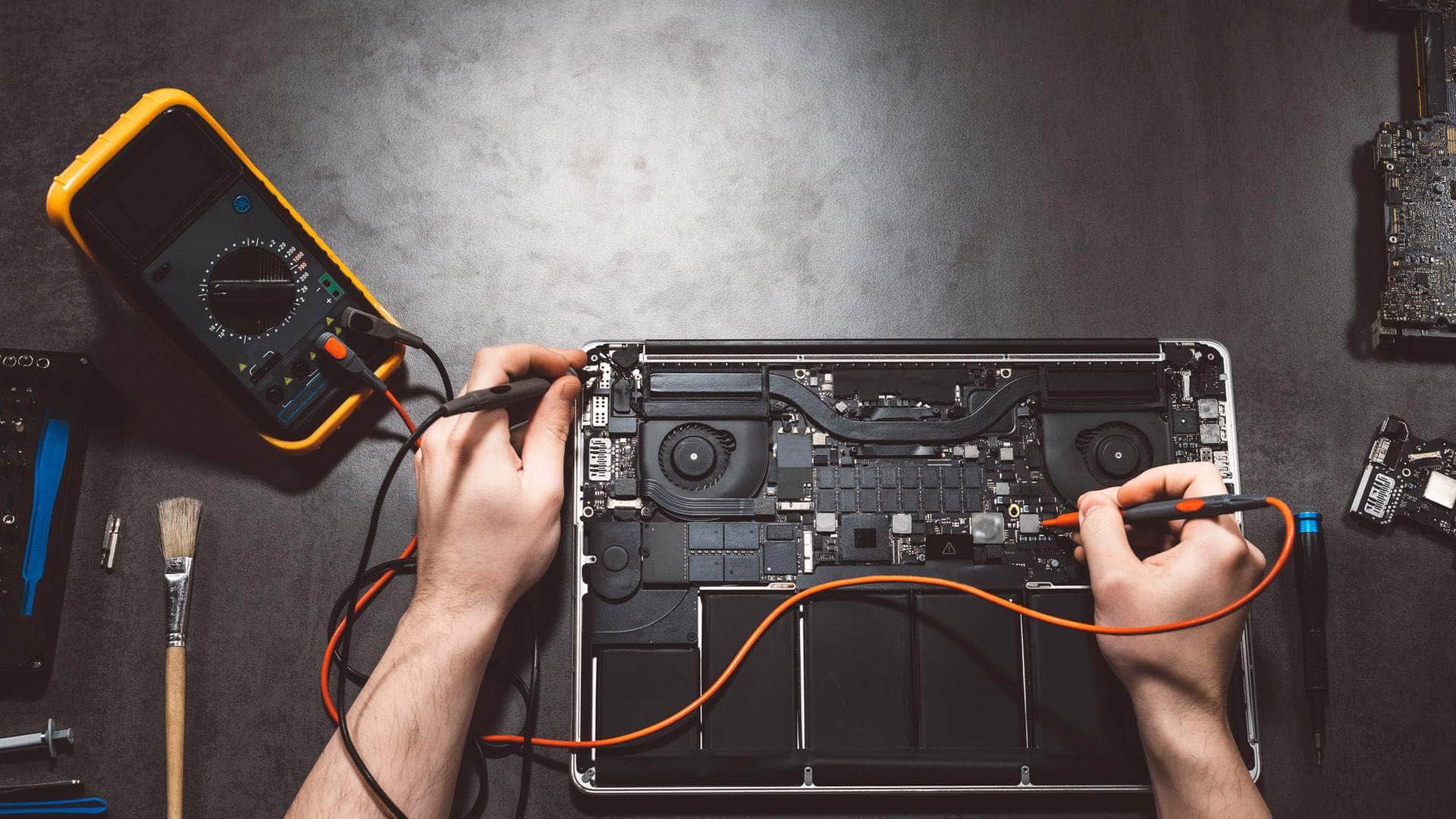
On Apple silicon Macs and most Intel Macs from 2018 onwards, the storage is soldered to the board and encrypted by a chip on that board. That keeps thieves out, but it means the files can only be read by getting that board working. There is no 'take the drive out and plug it in elsewhere'. So we focus on getting the Mac to start, often by repairing the fault that stopped it, then copying your files off before anything else.
Older Macs with a removable drive
Many Intel Macs up to 2017, including iMacs with Fusion Drives, have a drive we can remove and read in another machine, which gives a good chance of recovery even when the Mac itself is dead. If the drive is failing mechanically (clicking, grinding), stop using it: every restart can make things worse.
iPhones and iPads
Storage is encrypted and tied to the device, so photos can only come back from a backup or by bringing the device back to life. Check iCloud first: you may find more there than you expect. If the phone is damaged, we focus on getting it working long enough to back it up.
iCloud, Time Machine and external drives
Files deleted from iCloud Drive and Photos can often be recovered from 'Recently Deleted' for a limited time. Time Machine drives that have stopped backing up, and external drives a Mac no longer recognises, are worth bringing in before anyone reformats them.
Scam pop-ups, malware and unwanted profiles
Macs and iPhones are not immune. What we usually find is adware and browser extensions that hijack Safari or Chrome, fake 'your Mac is infected' pages with a number to ring, configuration profiles installed during a scam that quietly change settings, calendar spam on iPhones, and remote-access apps left behind after a fake support call.
- Do not ring numbers on pop-ups, and do not let anyone connect to your device remotely.
- If you already did, disconnect from the internet, and change your Apple Account and email passwords from a different device.
- Call 01548 600127. We check the device properly, remove what should not be there, and tell you what was found in plain English.
Scam pop-upsVirus and malware removal
Talk to the team
Tell us the model and what it is doing. We will say honestly what is likely to be involved and the quickest safe way to help.
When your Apple Account has been taken over
Signs include emails about sign-ins you did not make, devices you do not recognise in your account, purchases you did not make, and a password that suddenly no longer works. We help you take the account back through Apple's own recovery process, remove unknown devices, review two-factor authentication and the recovery contacts, and check the email account linked to it, which is often the real way in.
For people worried about being tracked, we check for unknown AirTags, shared locations and apps that should not be there, quietly and in confidence.
Making it less likely to happen again
- A backup that runs on its own: iCloud, Time Machine, or both.
- macOS and iOS kept up to date, and a straight answer if your device no longer gets updates.
- Two-factor authentication on your Apple Account and email, and a password manager you will actually use.
- Stolen Device Protection on iPhone, and FileVault on Macs.
What happens when you bring it in
We look at the device with you, explain what we think has happened, and agree the price of the outcome before starting. For data recovery we tell you honestly what is realistic: sometimes everything comes back, sometimes some of it, and sometimes nothing can. For security clean-ups we leave you with a short list of what we found and what we changed.
If you would rather start without leaving home, a secure remote session can often check a Mac for unwanted software (remote sessions start with a £25 deposit).
Where we work
The workshop is at Springfield Farm Shop, East Charleton, Kingsbridge TQ7 2AR, just off the A379 with free parking. We help people and businesses in Kingsbridge, Salcombe, Dartmouth, Totnes and across the South Hams. For PCs and laptops of every make, see computer repair in Kingsbridge; for business support, see IT support and cyber security.
More Apple repair
- Apple repair and support in KingsbridgeMacBooks, iMacs, Mac minis, iPhones and iPads, looked after by a local team at East Charleton, just outside Kingsbridge. We find out what is wrong first and explain it plainly.
- MacBook repairMacBook Air and MacBook Pro: screens, batteries, keyboards, charging and liquid damage.
- iMac and Mac mini repairDesktop Macs that are slow, silent, noisy or will not show a picture.
- iPhone repairCracked screens, tired batteries, charging ports, cameras and water.
- iPad repairScreens, batteries, charging and iPads that have locked their owner out.
Related help
- Virus and malware removalFor PCs and Macs that are slow, strange or full of adverts.
- Scam pop-upsA screen saying your device is infected, with a number to call.
- Been hacked? Get helpEmail, accounts or a device someone else may have reached.
- Data recovery and backupGetting files back, and keeping a second copy safe.
- MacBook repairMacBook Air and MacBook Pro: screens, batteries, keyboards, charging and liquid damage.
- iPhone repairCracked screens, tired batteries, charging ports, cameras and water.
We're located behind Springfield Farm Shop
Find us off the A379 at East Charleton, near Kingsbridge. Turn into Springfield Farm Shop — free on-site parking is available, and you are welcome to drop devices during business hours by arrangement.
Address
Springfield Farm Shop, East Charleton, Kingsbridge, Devon, TQ7 2AR
Free parking at Springfield Farm Shop. Turn off the A379 at East Charleton — we are inside the farm shop premises. Look for the KTechnology sign.
Hours: Mon–Sat 09:00–17:00; Sun 10:00–16:00. Call 01548 600127 before you set off if you need directions.
Apple data recovery and security: your questions
Can Macs get viruses?+
Macs are well protected, but adware, malicious browser extensions, scam pop-ups and remote-access scams all affect Mac users. We check and clean them up.
I rang the number on a pop-up and let them connect. What now?+
Disconnect from the internet, change your Apple Account, email and banking passwords from another device, call your bank if you paid anything, and call us on 01548 600127.
Can you recover files from a MacBook that will not turn on?+
Often, but on Apple silicon and T2 Macs the board has to work to read the data, so recovery usually means repairing the fault first. We tell you what is realistic after checking it.
Can you recover deleted photos from my iPhone?+
Check Photos, Albums, Recently Deleted first. Beyond that, photos come back from an iCloud or computer backup. We can help you find and restore them.
Do you keep a copy of my data?+
We only keep a working copy for as long as the recovery needs it. Once you have your files back, it is securely deleted from our equipment.