
Laptop repair in Kingsbridge
We diagnose your laptop first, explain the repair options honestly, and work with customers across Kingsbridge and the South Hams.
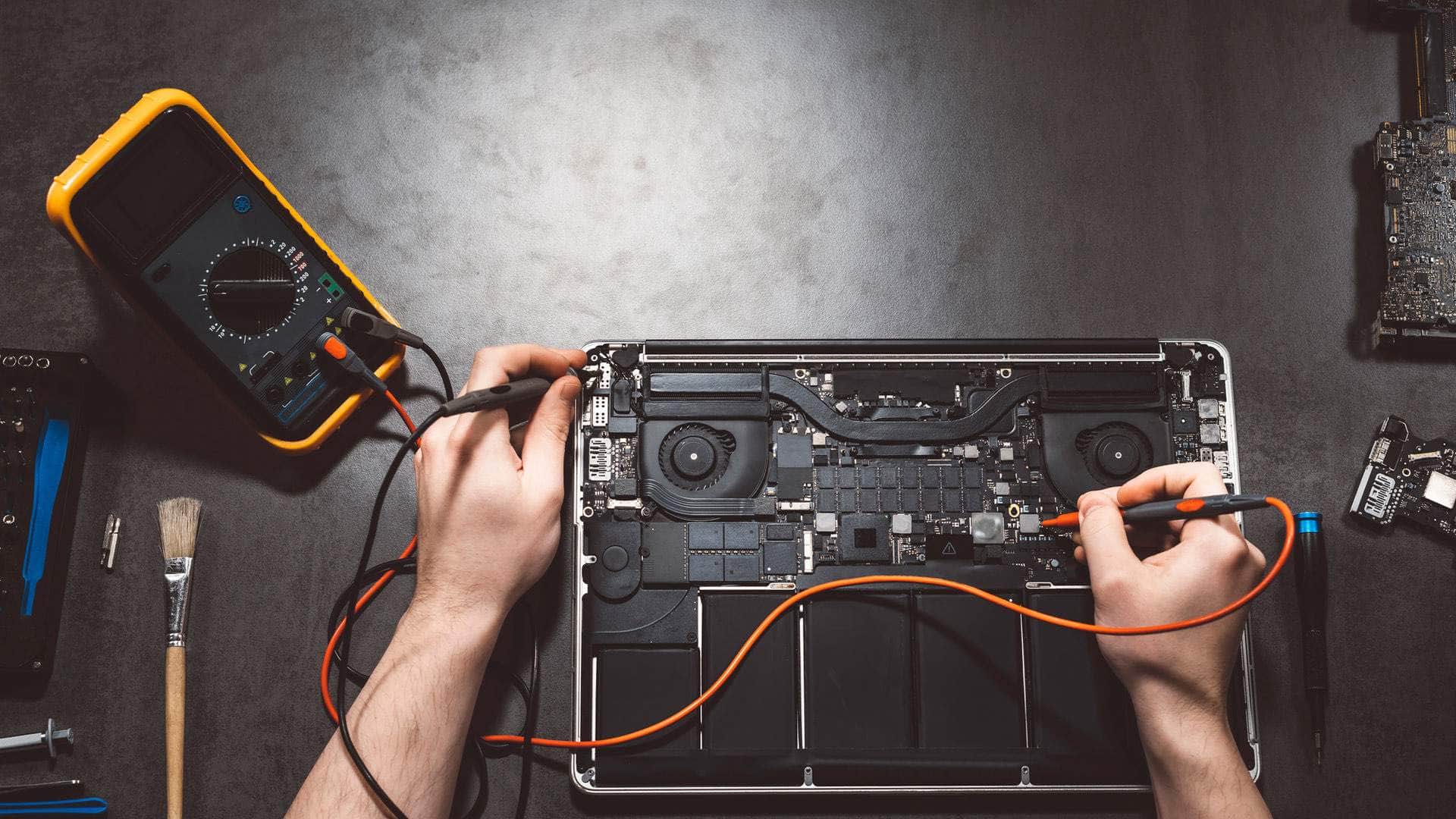
A laptop that stops working can disrupt your week, so we start by finding out exactly what is wrong. Based at East Charleton near Kingsbridge, we look at Windows laptops and MacBooks for homes and small businesses across the South Hams, from cracked screens and failing batteries to charging faults and overheating.
Once we know the cause, we explain which repair options are realistic, what each one involves, and whether repairing your particular model is sensible. Nothing goes ahead until you are happy with the plan.
Every job is different, so we price on the outcome, not by the hour, and agree the price with you in writing before any work starts.
Need broader PC, Mac or Chromebook workshop repair? Start with our computer repair service. This page focuses on laptop screens, batteries, upgrades and portable-device faults. For everything else, see computer repair in Kingsbridge. MacBook owners can also see our MacBook repair page for Pro, Air, Apple Silicon and Intel models.
What you get
- ✓Diagnosis before any work begins
- ✓Windows laptops and MacBooks
- ✓Options explained, including whether a repair is worth it
- ✓Drop-off in East Charleton or collection by arrangement
How it works
- 1
Diagnose
We identify the fault and explain the part options. Every job is different, so we price on the outcome, not by the hour, and agree the price with you in writing before any work starts.
- 2
Repair
Parts are fitted or software issues resolved, with your data handled carefully throughout.
- 3
Test and return
We test the laptop before handing it back and tell you what we found and what we did.
Laptops we repair
We work on most mainstream laptops brought into the workshop at East Charleton. That includes Dell, HP, Lenovo, Acer, Asus and Microsoft Surface, along with MacBook Pro and MacBook Air models. We also look after Chromebooks where parts are available for the model.
Whatever the make, we check the fault first and tell you honestly whether we can repair it and what that would involve.
Common laptop faults
These are the problems we see most often in portable devices.
- Cracked, flickering or failed screens
- Loose or broken hinges
- Batteries that drain quickly or swell
- Charging faults, including DC jacks, USB-C charging ports and chargers
- Keyboards and trackpads that stop responding
- Overheating and noisy fans, usually caused by dust or dried-out thermal paste
- Laptops that won't switch on or won't boot
- Slow performance, and SSD upgrades where the model allows them
- Liquid damage
- Windows problems such as failed updates, startup repair loops and blue screens
Liquid spilled on your laptop?
If liquid gets onto your laptop, switch it off straight away and unplug it. Don't charge it, and don't try to turn it on to see whether it still works, because that can cause further damage.
Bring it in as soon as you can. Corrosion can keep developing after a laptop looks dry, so we can't promise that every affected device will come back fully working, but an early look gives us the best chance of a good outcome.
Upgrades: what's possible
Many laptops accept a larger SSD or more RAM, and these are often the most useful upgrades for a slow machine.
Many thin laptops, and all recent MacBooks, have memory or storage soldered to the board, which means it can't be upgraded later. Apple Silicon Macs use unified memory that cannot be upgraded, and their SSD storage is soldered to the logic board and encrypted. We'll tell you what your model allows before anything is ordered or fitted.
Your data
Back up before any repair if you can. Time Machine or iCloud is a good option for a Mac, and OneDrive or an external drive suits most Windows laptops.
We discuss your data with you before any risky work. If a drive has failed, our data recovery service can look at what is possible, but recovery from a dead logic board is often limited, which is why backups are the main protection. If the files are on a Mac that will not start, see our Mac data recovery and security help.
When a repair isn't worth it
Sometimes the honest answer is that a repair doesn't make sense. The age of the laptop, the cost of the part compared with the value of the device, and whether parts are still available all matter.
We'll explain the options so you can decide. If replacement is the better route, we can talk through recycling and data wiping so your old machine is handled responsibly and your files are removed.
Drop-off and collection around the South Hams
You can bring your laptop to our workshop at Springfield Farm Shop, East Charleton, Kingsbridge TQ7 2AR, by arrangement.
Collection and on-site help can also be arranged for customers around Salcombe, Dartmouth, Totnes, Ivybridge and Modbury. Software problems can sometimes be handled remotely, so you may not always need to travel with your device.
Laptop repair for Kingsbridge and the South Hams
Local diagnosis helps most at the start. Because we work from East Charleton, people in Kingsbridge, Salcombe, Dartmouth, Totnes, Modbury and Ivybridge can bring a laptop in for a proper look and a plain explanation before anything is agreed, rather than posting it away to a call centre. We can usually tell quickly whether the fault is a screen, a battery, a charging port or software, and what each option involves.
You can drop the laptop off at the workshop or arrange collection, and software faults can often be started over a secure remote session first. Your data is protected throughout: where practical we copy or safeguard files before any risky work, and we talk through the options with you first. MacBooks go to our MacBook repair team, and desktop PCs are covered by our computer repair in Kingsbridge service.
In our shop: laptops, cables and connection parts.
Brands & devices we repair
Chromebook repair in Kingsbridge and the South Hams
From school Chromebooks to Apple MacBooks and Windows gaming towers — our technicians diagnose and repair the machines South Devon households and businesses actually use.
Laptop repair across the South West
This service is based at our Kingsbridge workshop and is set out for each place the site already names.
- Laptop Repair in the South West
- Laptop Repair in the South Hams
- Laptop Repair in TQ7
- Laptop Repair in South Devon
- Laptop Repair in Devon
- Laptop Repair in Cornwall
- Laptop Repair in Isles of Scilly
- Laptop Repair in Dorset
- Laptop Repair in Somerset
- Laptop Repair in Bristol
- Laptop Repair in Gloucestershire
- Laptop Repair in Wiltshire
Kingsbridge repairs and IT support
Local guides from our Kingsbridge team
- Laptop won't turn on? Checks before repair
- Choosing computer repair in Kingsbridge
- Data recovery in Kingsbridge: what to do first
Had a repair or support from us?
If we have helped you in Kingsbridge or anywhere in the South Hams, a short Google review helps other local people find us.
Leave us a Google reviewFrequently asked questions
Is a swollen laptop battery safe to keep using?+
No. Stop using the laptop, unplug it and avoid charging it. A swollen battery can push on the case, the trackpad or the screen, so bring it in for a look as soon as you can.
Can you replace a laptop screen with the same model?+
In many cases, yes. We check the screen connector, cable and panel type before ordering anything, because parts availability varies between models.
Is my laptop worth repairing?+
It depends on the age of the laptop, the cost of the part compared with the value of the device, and whether parts are still available. We explain the options honestly so you can decide.
Can you upgrade the SSD in my laptop?+
Many laptops accept a larger SSD, but many thin laptops have storage soldered to the board. Tell us the make and model, and we'll confirm what your machine allows.
Do you repair MacBooks too?+
Yes. We look at MacBook Pro and MacBook Air models, including Apple Silicon and Intel versions. Our MacBook repair page has more detail on what we cover.
Can you repair a laptop that will not turn on?+
Often, yes. A laptop that will not switch on can have a flat or failed battery, a charging port fault, a failed power board or a problem on the main board. We check power and charging first, then tell you what we found and whether a repair makes sense before any work starts.
Can you replace a cracked laptop screen in Kingsbridge?+
Yes, for many makes and models. We check the screen connector, cable and panel type before ordering a part, because availability varies from one model to the next. Bring the laptop to our workshop at East Charleton or ask about collection, and we will agree the price with you in writing before any work starts.
Do you repair laptops for students and home workers around Kingsbridge?+
Yes. Students and home workers usually need a laptop that stays reliable, so we look at batteries, chargers, keyboards, overheating and slow performance first. If a repair is not worth it, we can talk through a sensible replacement, including refurbished laptops from our shop.
How do you price the work?+
Every job is different, so we price on the outcome, not by the hour, and agree the price with you in writing before any work starts.
Need urgent help?
Call us now for fast support from a local IT company.