
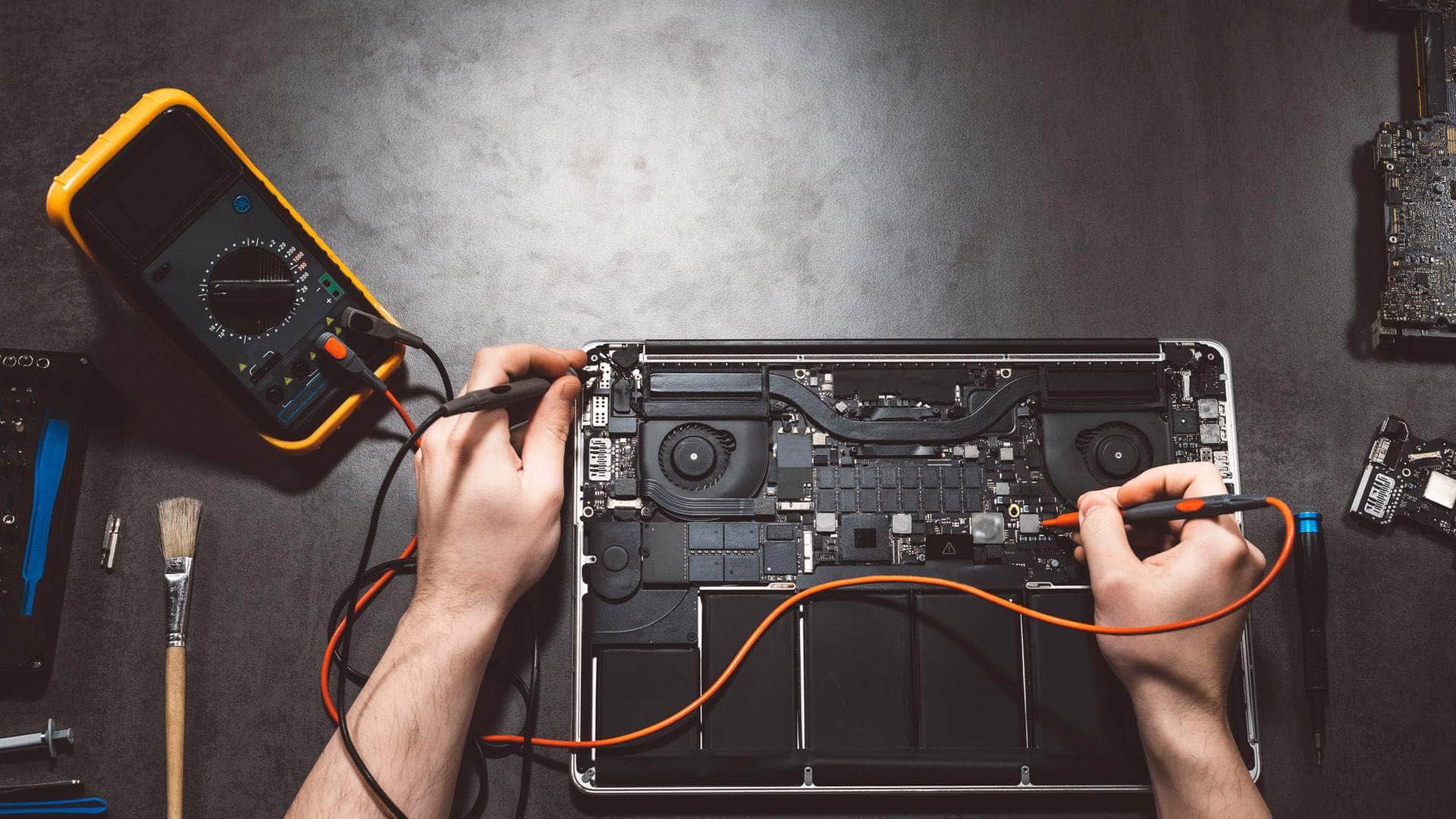
MacBook repair in Kingsbridge
MacBook Air and MacBook Pro repairs at our East Charleton workshop: screens, batteries, keyboards, charging faults and spills, diagnosed first and explained in plain English.
Springfield Farm Shop, East Charleton, Kingsbridge · Open Mon–Sat 09:00–17:00 · Sun 10:00–16:00
A MacBook tends to fail at the worst moment: the night before a deadline, halfway through a holiday-let changeover, or just after the cat walks across a cup of tea. We repair MacBook Air and MacBook Pro models for people and businesses across Kingsbridge and the South Hams, from Intel machines that are still earning their keep to the latest Apple silicon models.
Inside, a MacBook is tightly packed. Batteries are glued in, storage is soldered to the board on recent models, and one cable can run the screen, the camera and the sensors at once. That is why we diagnose before we quote and explain what a repair involves on your model, rather than offering a one-size answer.
Common MacBook faults, by model
MacBook Air and MacBook Pro with Apple silicon (M1 onwards)
These are reliable machines, so most of what we see is damage and wear: cracked screens after the lid has closed on a pen or earphones, batteries reaching the end of their life, liquid in the keyboard, and USB-C or MagSafe ports that have taken a knock. Storage and memory are part of the main board, so they cannot be upgraded later and the data lives on the board itself.
Intel MacBook Pro and MacBook Air (2016 to 2020)
Many of these have the shallow 'butterfly' keyboard, where keys stick, double-type or stop working. Some 13-inch MacBook Pros from 2016 and 2017 develop a backlight fault where the bottom of the screen shows an uneven, stage-light glow and later goes dark. Batteries on these models are now old enough to swell. They also run warm, and fans clogged with dust make them slow and loud.
Older MacBooks (2015 and earlier)
Still useful for a lot of people, and easier to work on: storage can usually be upgraded, and batteries are simpler to change. The catch is that they no longer get macOS security updates, so we will talk honestly about how safely they can still be used online.
MacBook repairs we carry out
Screens
On a MacBook the glass, panel, cable and often the camera come as one display assembly, so a 'screen repair' usually means replacing the whole lid. We check the ports and keyboard first, because a drop that cracks the screen sometimes damages more.
Batteries
Open System Settings, then Battery, and look at Battery Health. 'Service Recommended', short runtimes or sudden shutdowns at 30% are the usual signs. A trackpad that has stopped clicking or a case that no longer sits flat can mean a swollen battery: stop using it and call us, as that is a safety issue, not just an annoyance.
Keyboards and trackpads
Sticky, repeating or dead keys, missing keycaps and trackpads that will not click. On many models the keyboard is riveted into the top case, so we explain the options before starting.
Charging and ports
We test the charger, cable and port separately before blaming the MacBook, because a tired adapter or a fluffed-up port is far cheaper to fix than a board. Where the fault is on the board, we tell you what is realistic.
Liquid damage
Switch it off, unplug it, and do not try to charge it or put it in rice. Tip it upside down in a tent shape and call 01548 600127. The quicker the board is cleaned, the better the chances for the MacBook and the data on it.
Slow, full or stuck on updates
A startup disk that is nearly full, login items nobody remembers adding, a failed macOS update or a Mac stuck on the Apple logo. We sort the cause rather than reinstalling by reflex, and we only erase anything once your files are safe.
Talk to the team
Tell us the model and what it is doing. We will say honestly what is likely to be involved and the quickest safe way to help.
Repairs by MacBook model
Faults and repair options differ between MacBook models and chips. If you know which one you have, these pages cover what usually goes wrong with it and what we can do.
MacBook Pro repairMacBook Air repairApple silicon MacBook repairM1 MacBook repairM2 MacBook repairM3 MacBook repairIntel MacBook repair
What the visit looks like
Bring your MacBook and charger to Springfield Farm Shop, East Charleton, by arrangement, or ask about collection around the South Hams. We note its condition with you, check the fault, and then call you with what we found and the agreed price for the outcome before any work starts.
Before you hand it over, a Time Machine backup or a copy of anything precious to iCloud Drive is worth doing if the Mac still works. If it does not, tell us, and we will make your data part of the plan.
Turnaround
Software problems, battery health checks and many simple repairs can be done quickly. Display assemblies, batteries and keyboards are specific to each model and sometimes need ordering in, so we tell you the expected wait before you agree. On many jobs we can lend you a laptop to keep going.
Is it worth repairing?
Sometimes the honest answer is no. If a repair would cost too much for the age of the MacBook, or the model no longer gets security updates, we will say so, help you move your files to a replacement, and securely wipe and recycle the old one.
Where we work
The workshop is at Springfield Farm Shop, East Charleton, Kingsbridge TQ7 2AR, just off the A379 with free parking. We help people and businesses in Kingsbridge, Salcombe, Dartmouth, Totnes and across the South Hams. For PCs and laptops of every make, see computer repair in Kingsbridge; for business support, see IT support and cyber security.
More Apple repair
- Apple repair and support in KingsbridgeMacBooks, iMacs, Mac minis, iPhones and iPads, looked after by a local team at East Charleton, just outside Kingsbridge. We find out what is wrong first and explain it plainly.
- iMac and Mac mini repairDesktop Macs that are slow, silent, noisy or will not show a picture.
- iPhone repairCracked screens, tired batteries, charging ports, cameras and water.
- iPad repairScreens, batteries, charging and iPads that have locked their owner out.
- Apple data recovery and securityLost photos and files, scam pop-ups, hacked Apple Accounts and clean-ups.
Related help
- Mac repair overviewHow a Mac repair works with us, start to finish.
- Apple data recovery and securityLost photos and files, scam pop-ups, hacked Apple Accounts and clean-ups.
- Laptop repairScreens, batteries and upgrades for every make of laptop.
- Virus and malware removalFor PCs and Macs that are slow, strange or full of adverts.
- New computer setupFiles, email and passwords moved across to a new machine.
- Remote supportHelp on your own screen, started by you. Sessions start with a £25 deposit.
Useful from our shop
- USB-C MacBook docking stationTwo 4K screens and 100W charging through one cable for a MacBook at the desk.
- Thunderbolt 4 cable, 1mFor fast external drives and docks on Thunderbolt Macs.
- Screen and device cleaningSafe cleaners for screens and keyboards, in our own maintenance range.
- Laptops in the IT shopIf a repair no longer makes sense, sensible replacements.
We're located behind Springfield Farm Shop
Find us off the A379 at East Charleton, near Kingsbridge. Turn into Springfield Farm Shop — free on-site parking is available, and you are welcome to drop devices during business hours by arrangement.
Address
Springfield Farm Shop, East Charleton, Kingsbridge, Devon, TQ7 2AR
Free parking at Springfield Farm Shop. Turn off the A379 at East Charleton — we are inside the farm shop premises. Look for the KTechnology sign.
Hours: Mon–Sat 09:00–17:00; Sun 10:00–16:00. Call 01548 600127 before you set off if you need directions.
MacBook repair: your questions
Can you replace a MacBook battery?+
Yes, on most models. We check the battery health and the rest of the machine first, explain what is involved on your model, and agree the price before starting.
My MacBook trackpad has stopped clicking and the case looks raised. What should I do?+
Stop using it and do not charge it. That is often a swollen battery pressing on the trackpad. Call us on 01548 600127 and we will check it safely.
Can you upgrade the storage on my MacBook?+
On Apple silicon and most Macs from 2018 onwards, storage is soldered to the board and cannot be upgraded. Some older models can. External drives are often the sensible answer, and we can help set one up.
I spilt tea on my MacBook. Is it ruined?+
Not necessarily. Switch it off, unplug it, do not charge it, and get it to us as soon as you can. Fast cleaning makes a real difference.
Do you repair the old butterfly keyboards?+
Yes. Sometimes cleaning is enough; sometimes the keyboard needs replacing. We tell you which after checking it.
Will I lose my files?+
Most repairs do not touch your data. Where a repair puts it at risk, we talk about backups first and copy your files where that is practical.